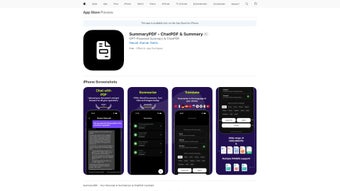

Download SummaryPDF – AI PDF Summarizer, Fast & Secure
Overview
SummaryPDF is a cutting‑edge AI‑driven summarization tool designed to turn long‑form documents into concise, readable abstracts in seconds. Powered by the latest GPT models, the software intelligently extracts the most relevant points from PDFs, Word documents, and even image‑based files, delivering a clear snapshot of the original content. Whether you’re a student scrambling to digest research papers, a professional needing quick briefs from lengthy reports, or a researcher looking for rapid literature reviews, SummaryPDF streamlines the reading process without sacrificing accuracy. The platform offers a free tier that lets users experiment with limited uploads, while a premium subscription unlocks unlimited document processing, higher‑detail summaries, and advanced customization options. Available through the App Store and compatible with major operating systems, SummaryPDF has quickly become a go‑to companion for anyone who values time‑saving, secure, and reliable document summarization.
Key Features & How to Use SummaryPDF
Feature Highlights
- AI‑powered summarization using GPT technology for high‑precision extracts.
- Supports multiple file formats: PDF, DOC/DOCX, and image‑based files (JPG, PNG).
- Customizable summary length – choose from brief (one‑paragraph) to detailed (multi‑paragraph) outputs.
- Multi‑language support – generate summaries in over 30 languages.
- Save and export summaries as TXT, PDF, or directly to cloud storage.
- Free plan with 3 daily uploads; premium plan offers unlimited usage and batch processing.
- Secure data handling – files are encrypted during upload and automatically deleted after processing.
- Intuitive UI optimized for both desktop and mobile devices.
Step‑by‑Step Installation & Usage
Getting started with SummaryPDF is straightforward. Begin by visiting the official website or the App Store, where you can download the installer for Windows, macOS, Android, or iOS. After the download completes, run the installer and follow the on‑screen prompts – the process typically takes under two minutes. Once installed, launch the app and create a free account using your email or a social login. After signing in, you’ll see the main dashboard where you can drag and drop files or click the “Upload” button to select a document from your device.
After uploading, select your desired summary detail level from the dropdown menu. For multilingual documents, choose the target language to receive a summary in that language. Press “Summarize,” and the AI engine begins processing; most documents are summarized within 5‑10 seconds, depending on length. The resulting abstract appears on the screen, and you can instantly copy it, download it as a separate PDF, or save it to your personal library for future reference. Premium subscribers also gain access to batch summarization, allowing multiple files to be processed in a single queue, which is especially useful for research teams handling large corpora of literature.
The app also integrates with popular cloud services like Google Drive and Dropbox, enabling seamless import of files and export of summaries. For users concerned about privacy, SummaryPDF provides an optional “Secure Mode,” which encrypts files end‑to‑end and guarantees automatic deletion after 24 hours, ensuring that sensitive information never lingers on the servers.
Compatibility, Pros & Cons, and Frequently Asked Questions
Operating System Compatibility
SummaryPDF runs natively on Windows 10 and later, macOS 10.13 (High Sierra) and newer, Android 7.0+, and iOS 13+. The web version also works flawlessly on any modern browser (Chrome, Edge, Safari, Firefox), providing a flexible experience for users who prefer not to install a dedicated client.
Pros and Cons
- Pros:
- Lightning‑fast AI summarization with high accuracy.
- Broad file‑type support, including image‑based PDFs.
- Customizable summary length and multilingual output.
- Free tier available for occasional users.
- Strong privacy controls and end‑to‑end encryption.
- Cons:
- Free plan limits daily uploads to three documents.
- Premium subscription required for batch processing.
- Occasional formatting quirks with heavily scanned PDFs.
FAQ – Your Questions Answered
Can SummaryPDF summarize scanned images or handwritten notes?
Yes. The tool includes OCR (Optical Character Recognition) that converts scanned images and handwritten PDFs into editable text before generating a summary. The accuracy depends on the clarity of the source image.
Is my data safe when I upload documents?
SummaryPDF uses TLS 1.3 encryption for all data in transit and AES‑256 encryption at rest. Files are automatically deleted from the server after processing, and Secure Mode adds an extra 24‑hour auto‑deletion guarantee.
How does the free plan differ from the premium plan?
The free plan permits up to three document uploads per day, limits summary length to a brief version, and does not include batch processing or cloud‑sync features. The premium plan removes these limits, adds detailed summaries, batch mode, and priority processing.
Can I integrate SummaryPDF with other productivity tools?
Yes. SummaryPDF offers API endpoints and native integrations with Google Drive, Dropbox, and Microsoft OneDrive, allowing you to pull documents directly from these services and push generated summaries back into your workflow.
What languages does SummaryPDF support for summarization?
The platform currently supports over 30 languages, including English, Spanish, Mandarin, German, French, Arabic, and many more. Users can select the desired output language before summarization.
Review Summary: SummaryPDF delivers a fast, reliable, and secure AI summarization experience that meets the needs of both casual readers and power users. Its flexible pricing model and strong privacy guarantees make it a standout tool in the crowded productivity‑software market.
Conclusion – Boost Your Productivity with SummaryPDF Today
In an era where information overload can hinder decision‑making, SummaryPDF provides a practical, AI‑enhanced solution that transforms dense documents into bite‑size insights in moments. Its blend of speed, accuracy, and multilingual capability addresses the core pain points of students, researchers, and business professionals alike. While the free tier offers enough functionality for occasional users, the premium subscription unlocks the full power of unlimited uploads, batch processing, and deeper customization—features that can dramatically reduce the time spent on document review.
Security remains a top priority, with end‑to‑end encryption and automatic file deletion ensuring that sensitive data never lingers. Compatibility across Windows, macOS, Android, and iOS, coupled with a responsive web version, means you can summarize documents wherever you work. Whether you’re preparing for an exam, drafting a project brief, or simply staying ahead of industry trends, SummaryPDF equips you with the concise knowledge you need to act quickly and confidently.
Ready to experience faster reading and smarter research? Download SummaryPDF now and start generating instant summaries for free. Upgrade to the premium plan when you’re ready to unlock unlimited potential and keep your workflow flowing without interruption.



.png)



